Clean up resources
Clean up resources
Congratulations on completing the basic CDK workshop. To summarize, you have:
- Installed and got familiar with CDK CLI
- Used CDK to deploy a simple infrastructure, including:
- VPC
- Public subnet
- EC2 instance
- Roles and Security groups
- Installed Apache on EC2 instance via user data
Don’t forget to delete the created resources. There are two ways you can clean up resources:
- Delete CloudFormation stack on AWS console
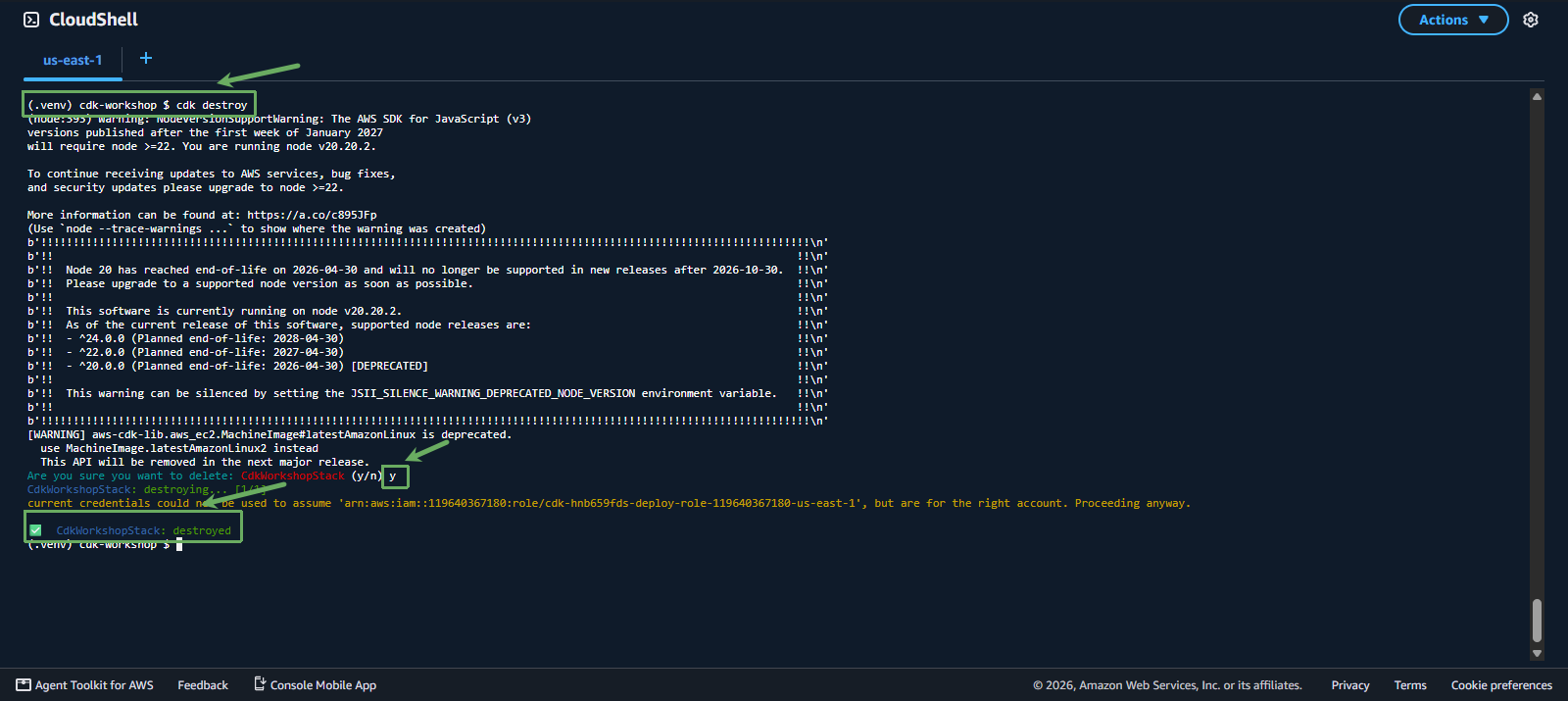
- Use CDK CLI to delete stack
cdk destroy
- Enter ‘y’ to confirm:
Important Note regarding CDKToolkit:
The cdk destroy command above only deletes the application Stack for this lab. It does not delete the CDKToolkit Stack (which contains an S3 bucket) created during the bootstrap step. Also, closing the CloudShell browser tab does not automatically delete any AWS resources you have created (VPC, EC2, S3…).
To completely clean up and avoid unexpected charges:
- Go to the Amazon S3 Console. Find the bucket named
cdk-xxx-assets-xxx(belonging to CDKToolkit). Select Empty to delete all files inside, then we proceed to delete that bucket. - Go to the CloudFormation Console. Select the CDKToolkit Stack and click Delete.
- For the CloudShell environment itself, the system will automatically clean up the temporary memory when you end the session, so you don’t need to do anything else there.