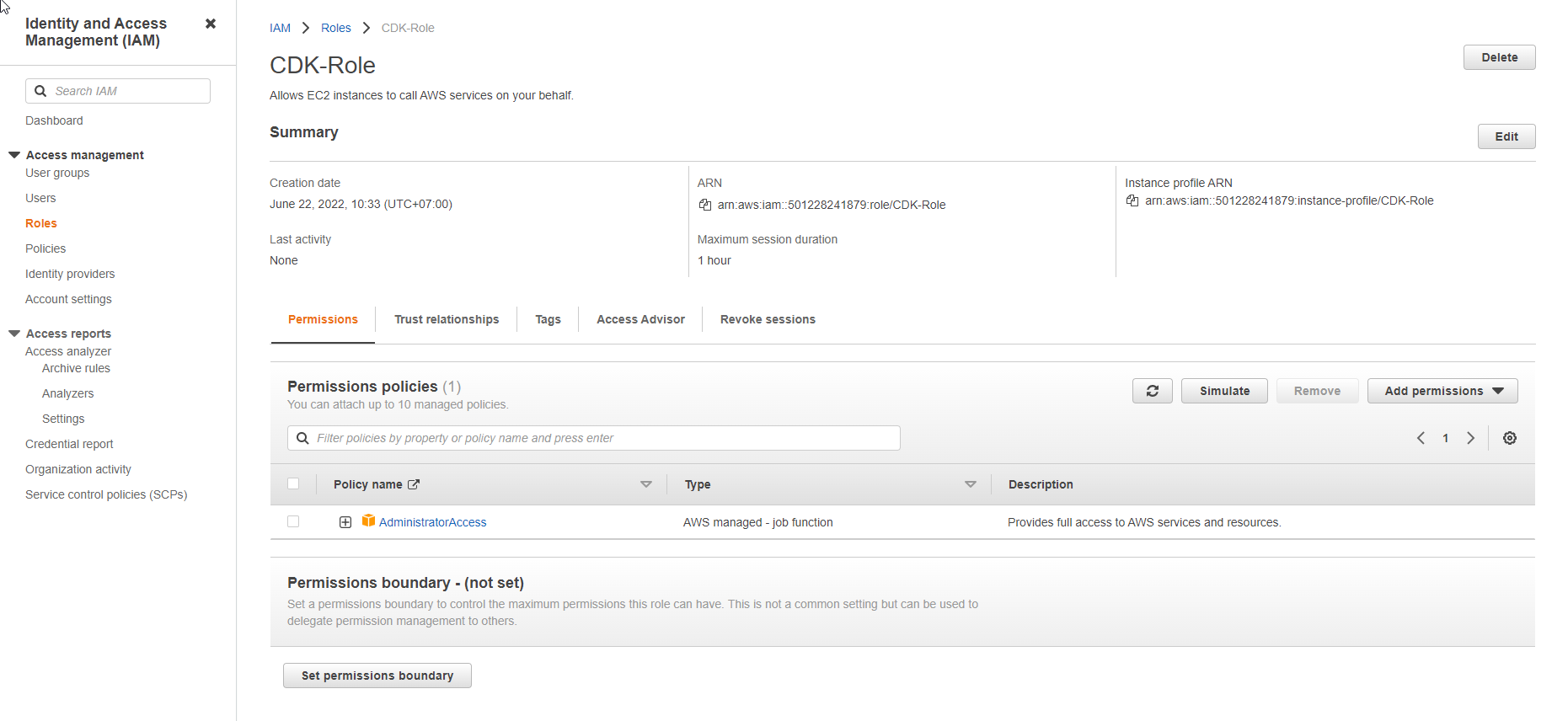
Create IAM Role
Create IAM Role
-
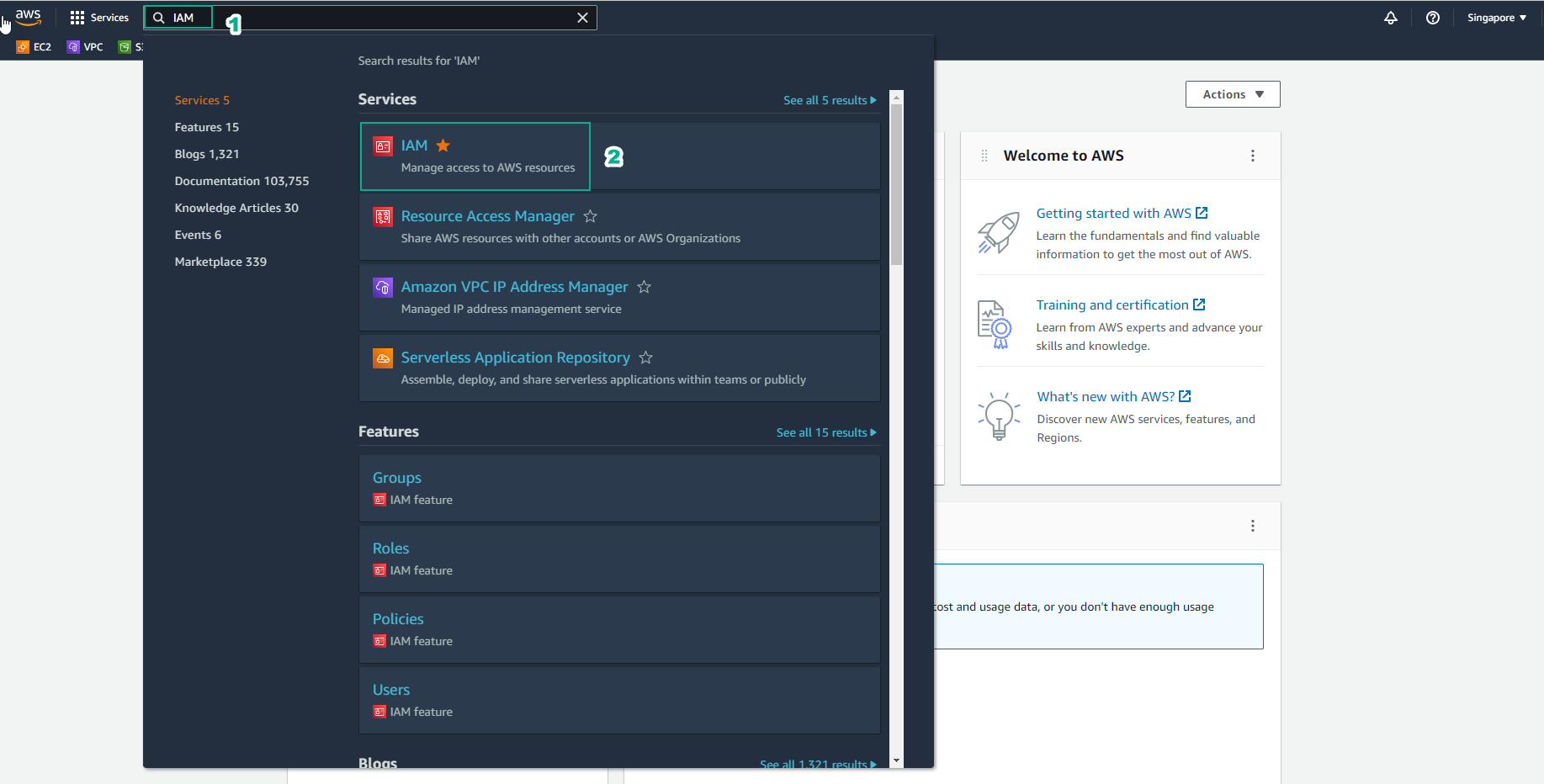
Access the [AWS Management Console] interface(https://aws.amazon.com/console/)
- Find IAM
- Select IAM
-
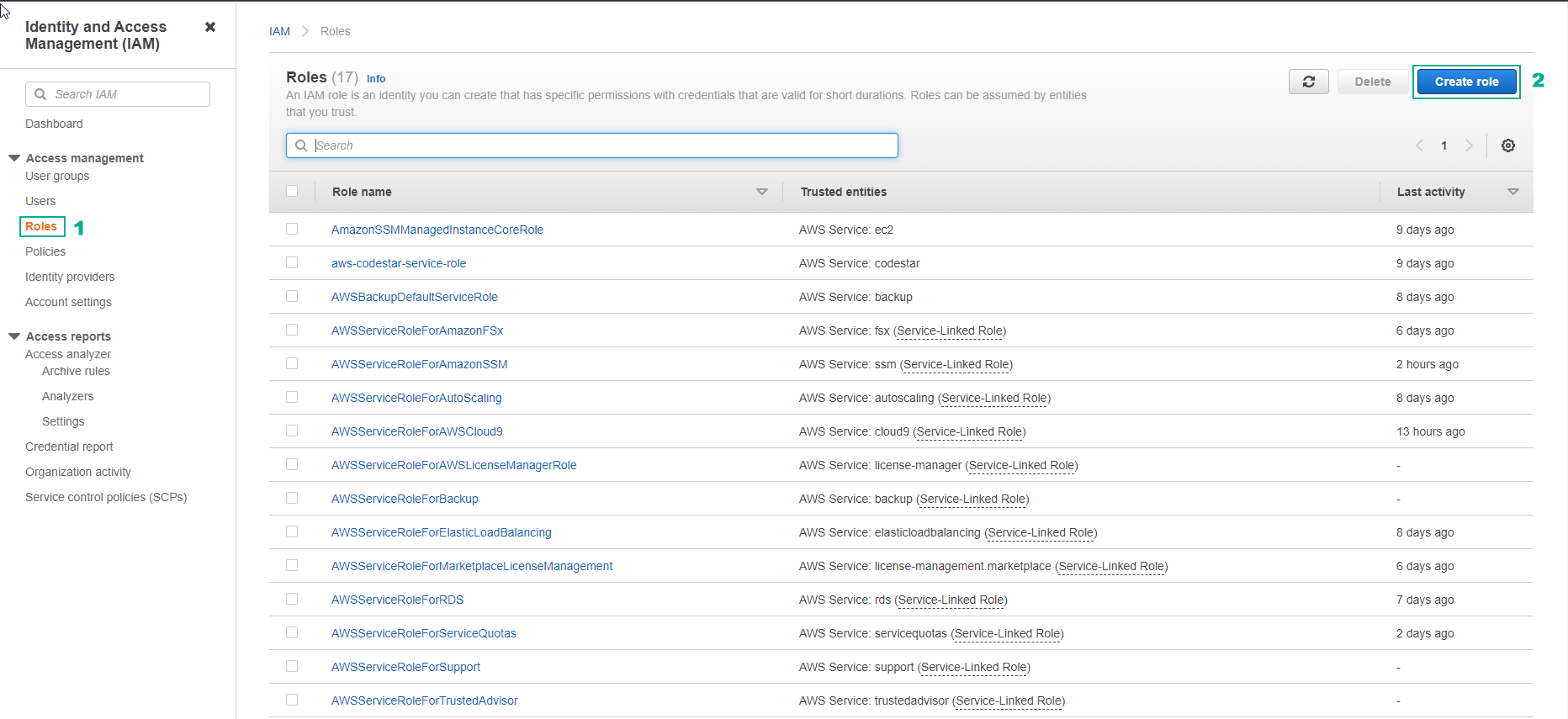
In the IAM interface
- Select Roles
- Select Create role
-
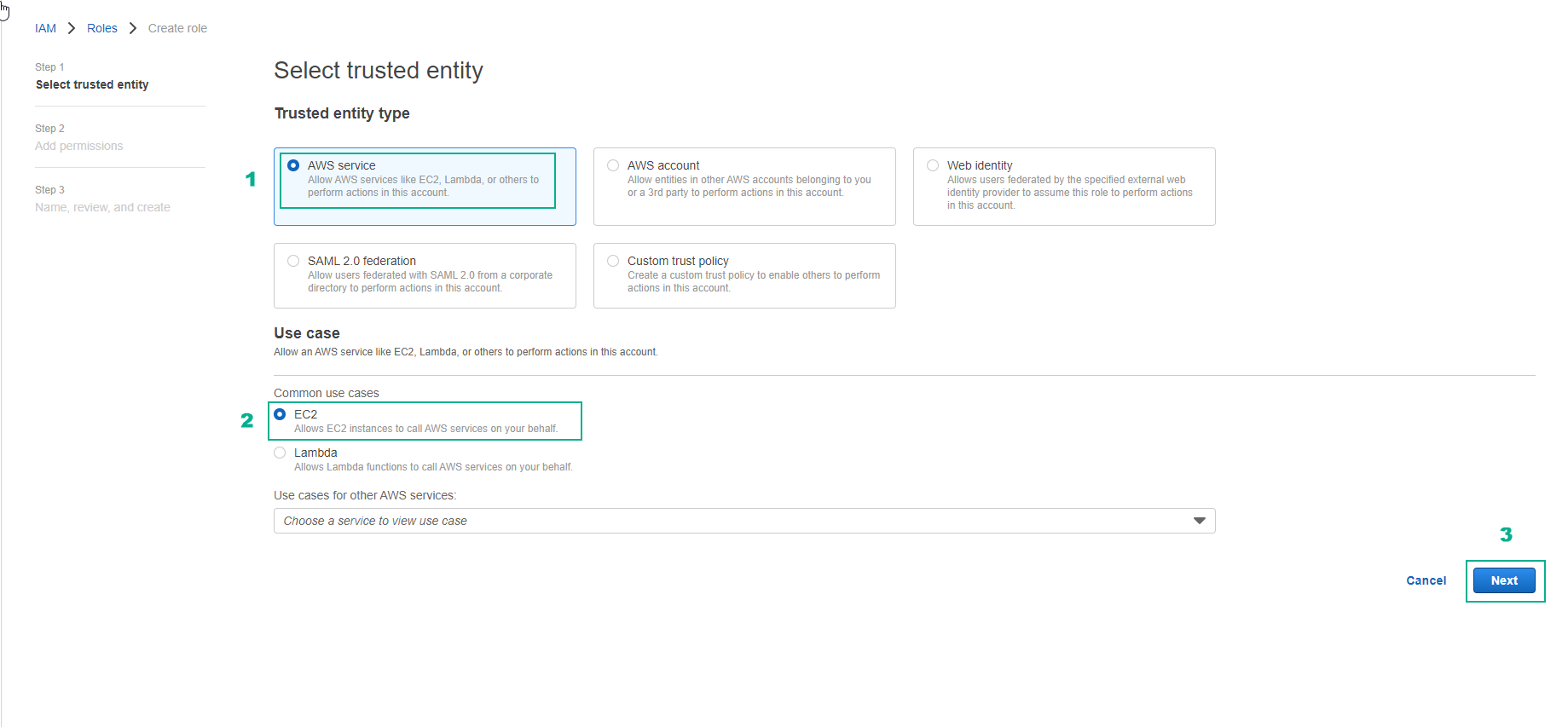
In the Select trusted entity interface
- Select AWS service
- Use case, select EC2
- Select Next
-
In the Create role interface
- Find the policy AdministratorAccess
- Select the policy AdministratorAccess
- Select Next
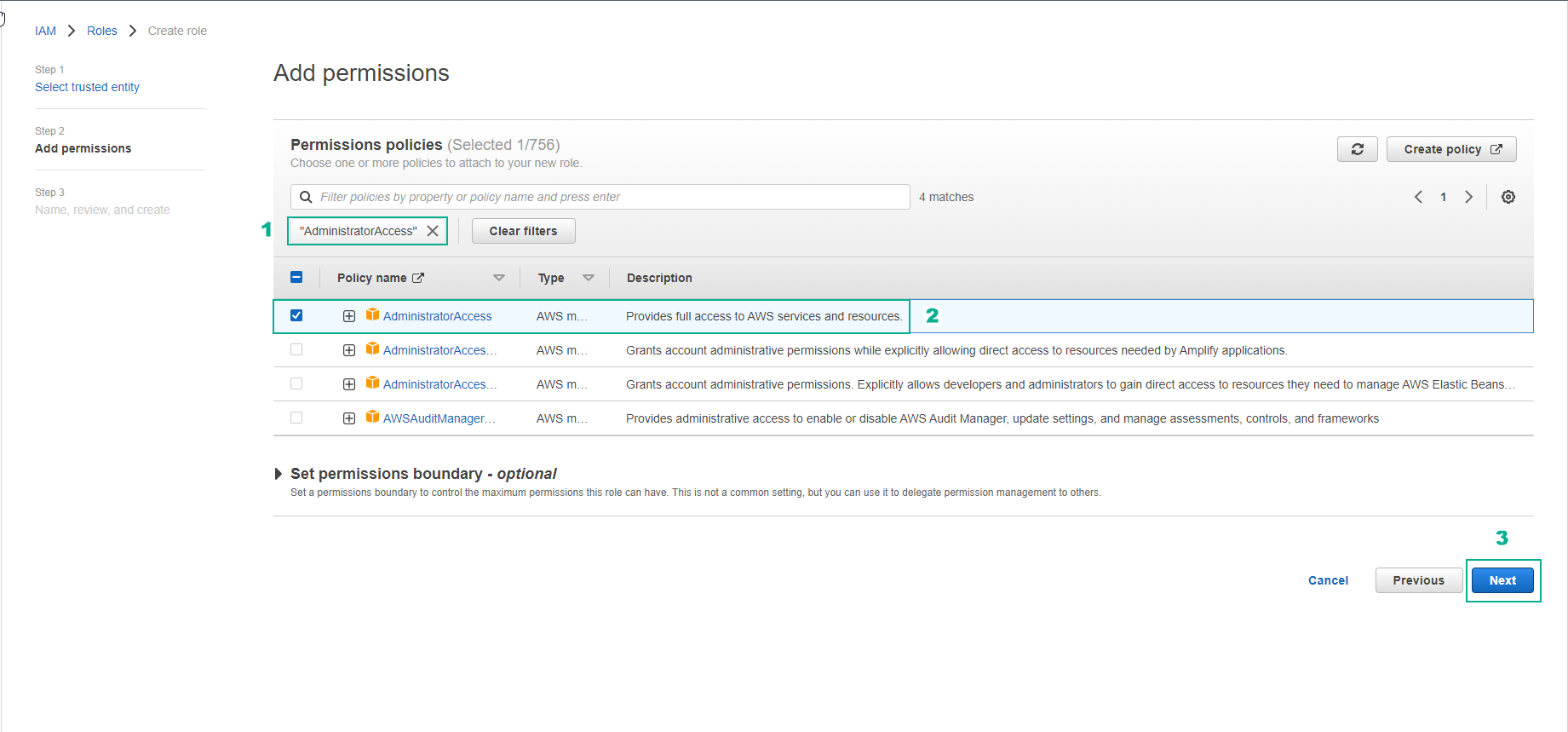
-
In the Role details interface
- Role name, enter
CDK-Role
- Role name, enter
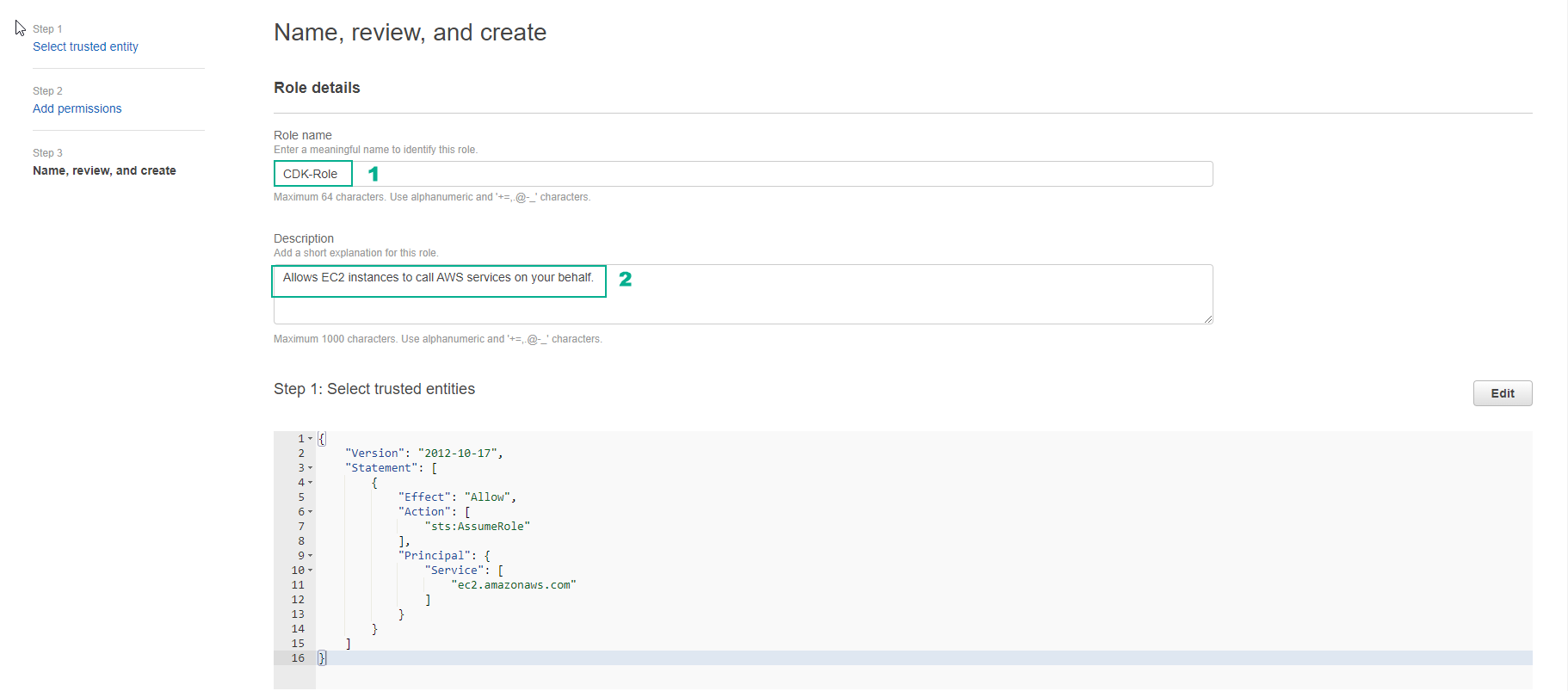
- Select Create role
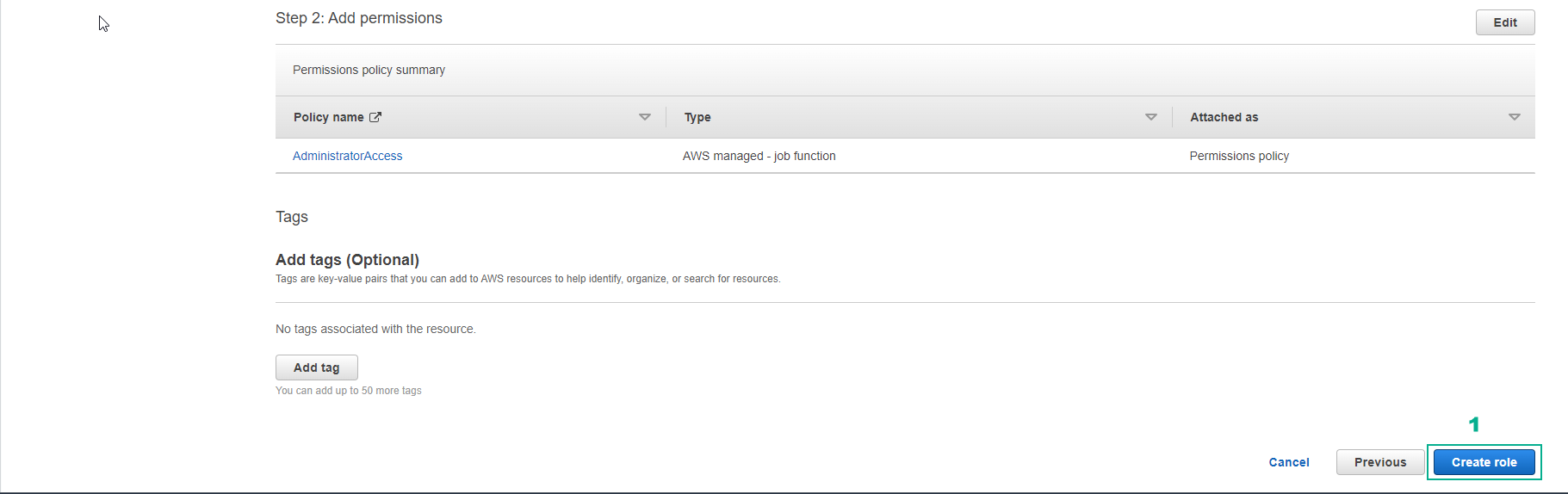
- Complete role creation