Configure Cloud9 environment
Configure Cloud9 environment
-
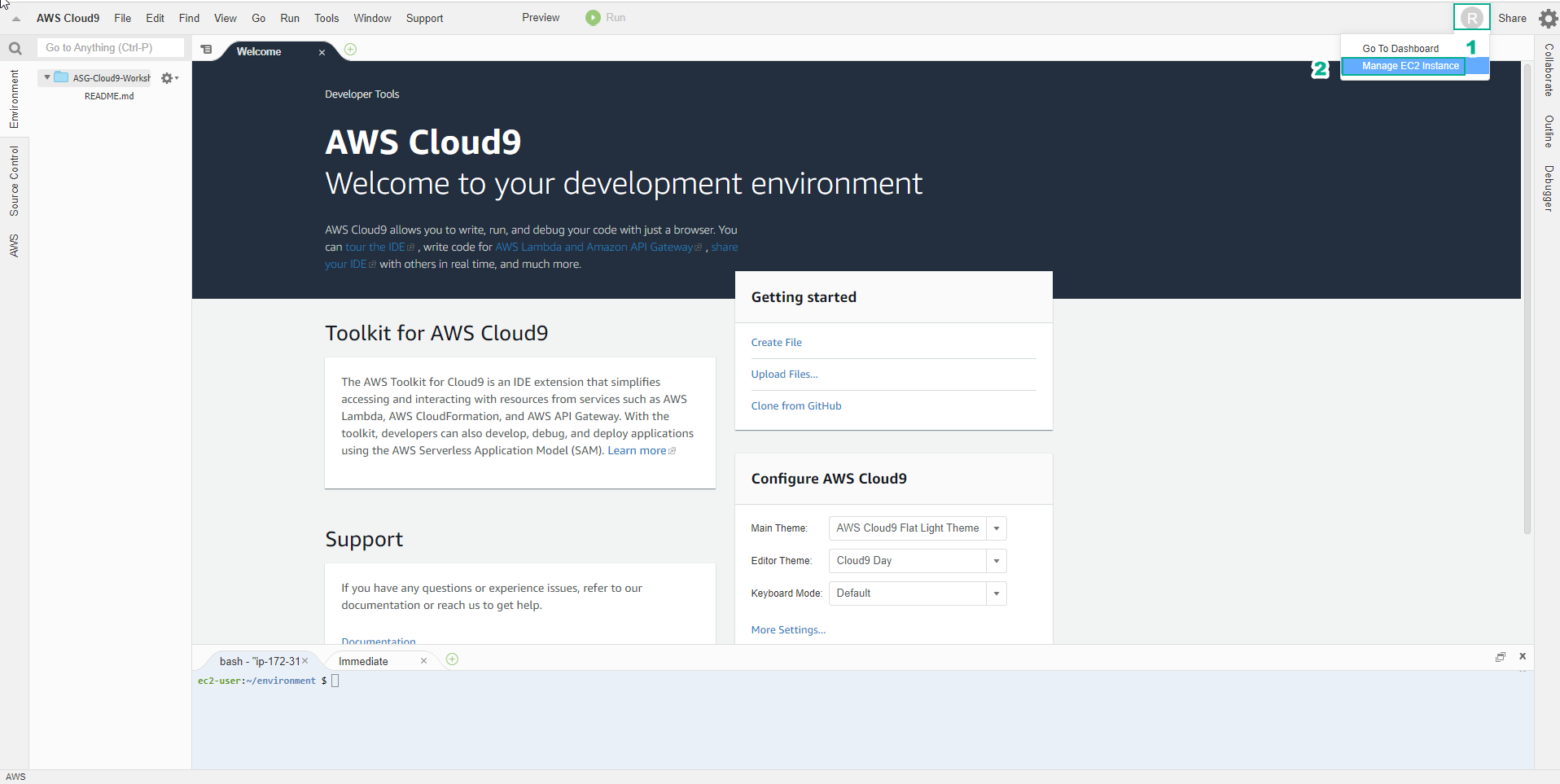
In the environment interface just initialized
- Select the circular user icon in the right corner of the screen, next to Share
- Select Manage EC2 Instance
-
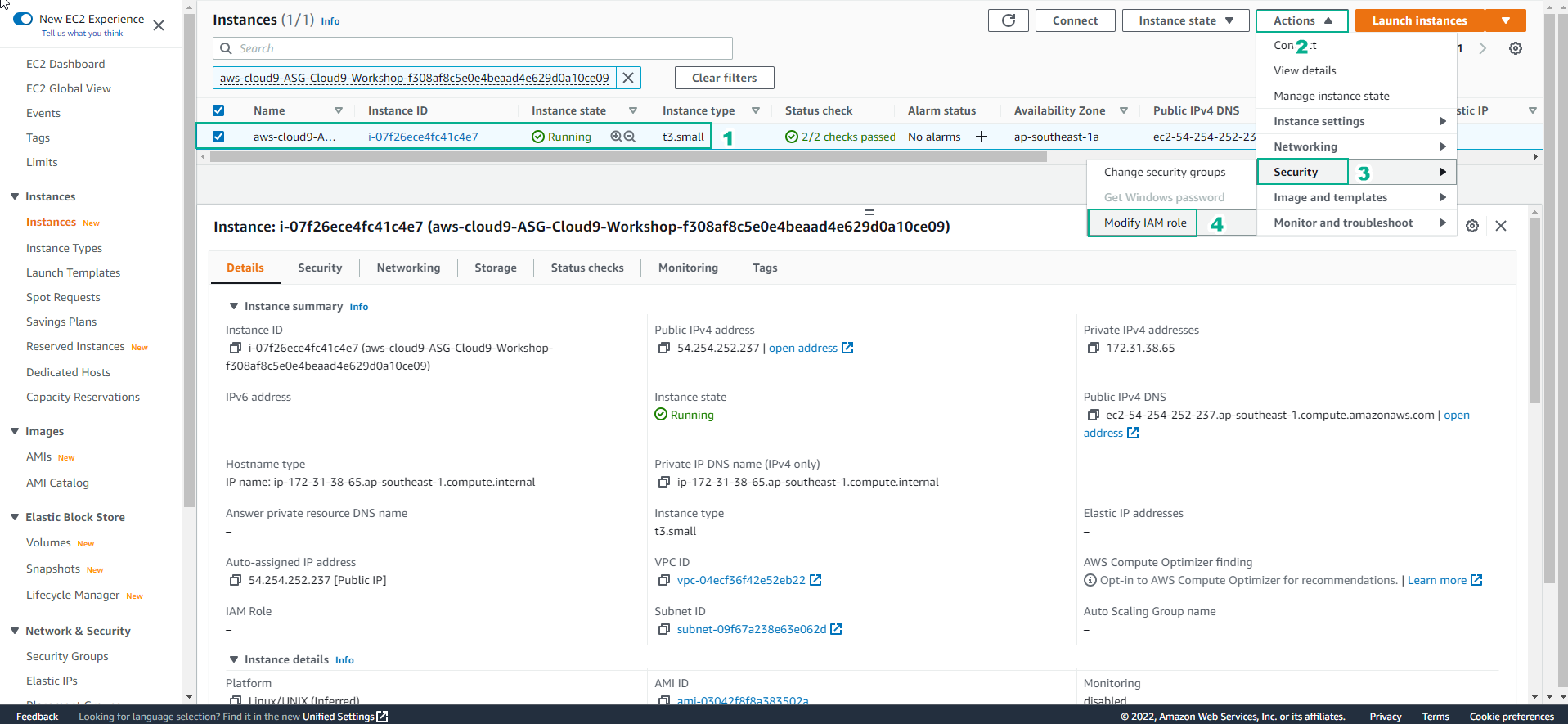
In the EC2 interface
- Select Action
- Select Security
- Select Modify IAM role
-
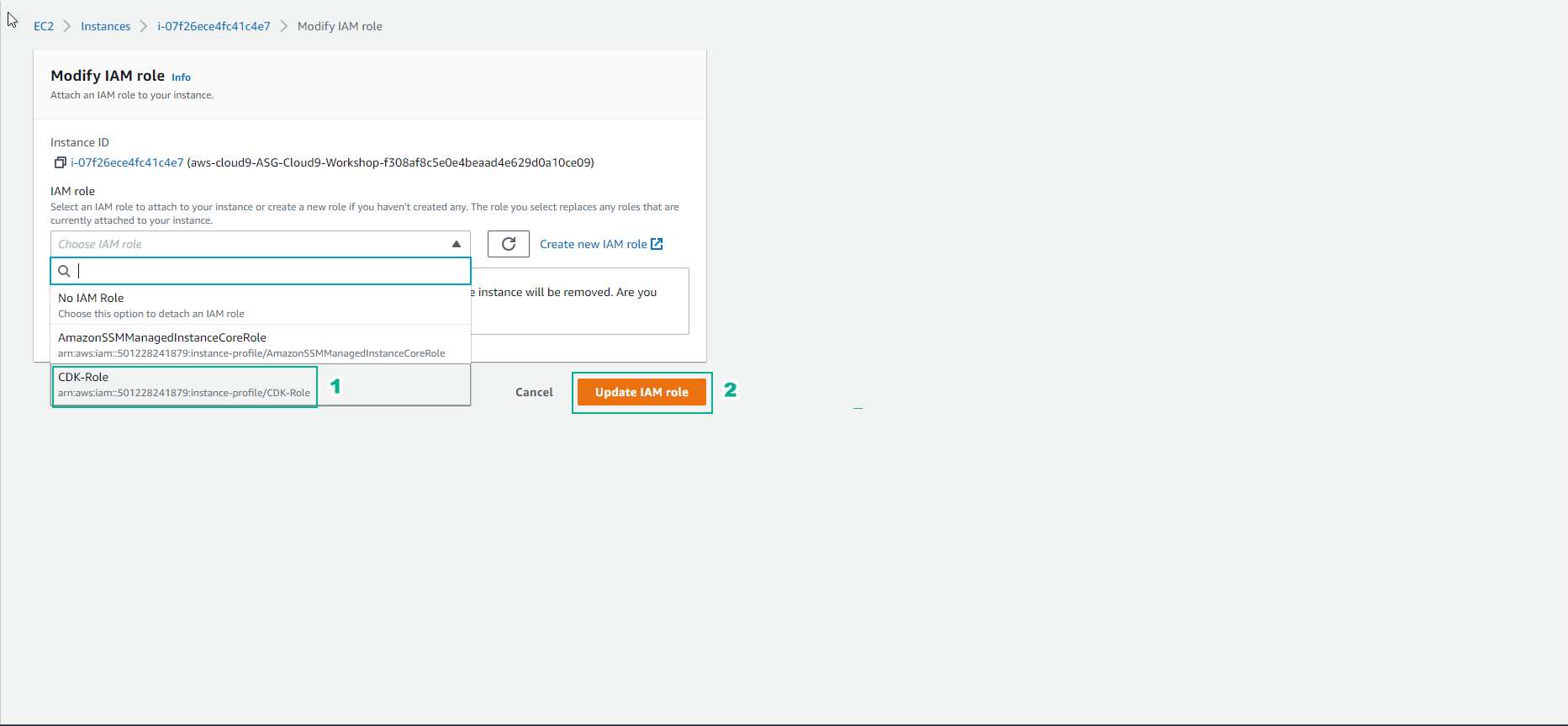
In the Modify IAM role interface
- Select the created role, this lab choose CDK-Role
- Select Update IAM role
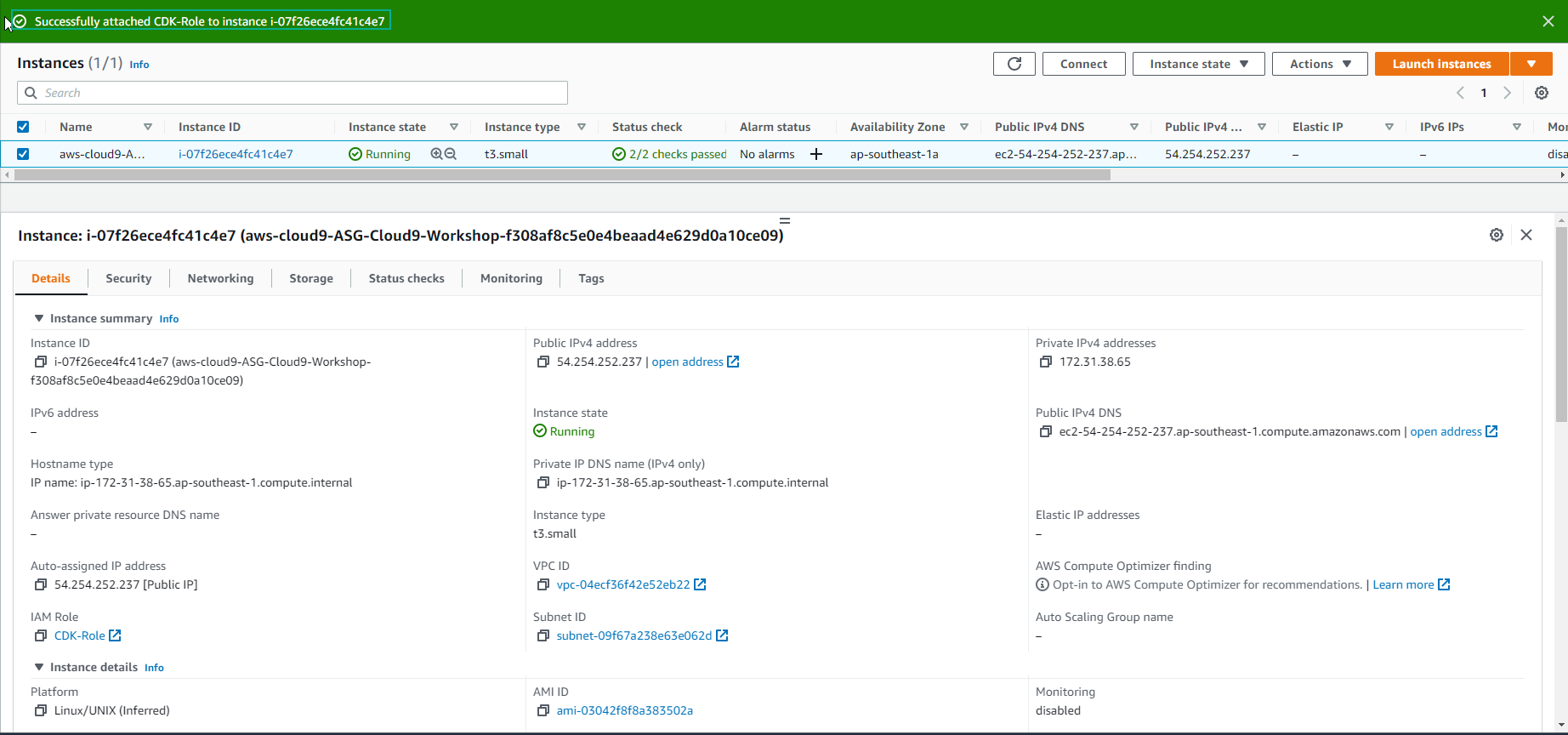
- Completed the role assignment successfully.
-
In the view of the AWS Cloud9 environment
- Select AWS Cloud9
- Select Preferences
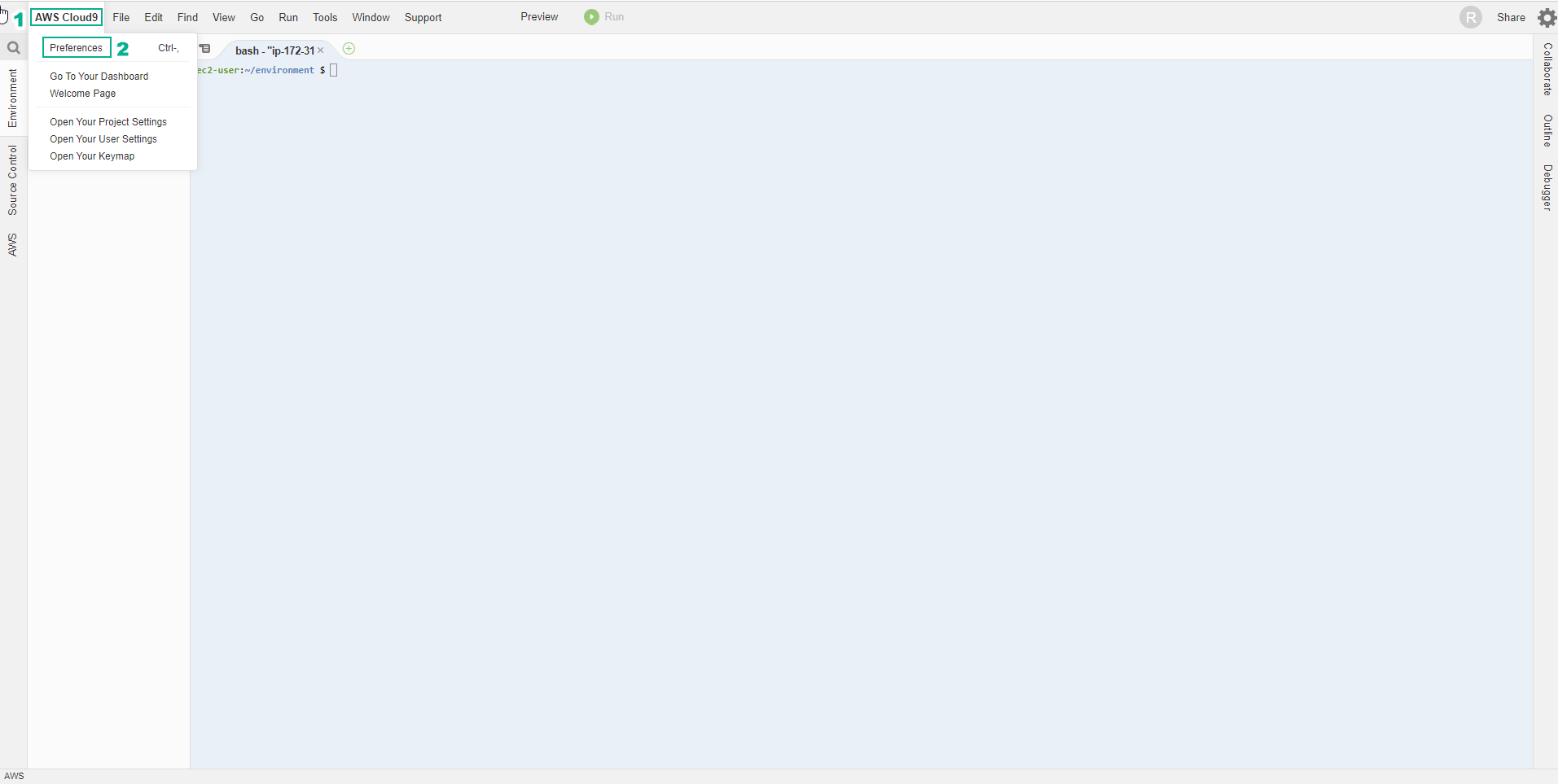
-
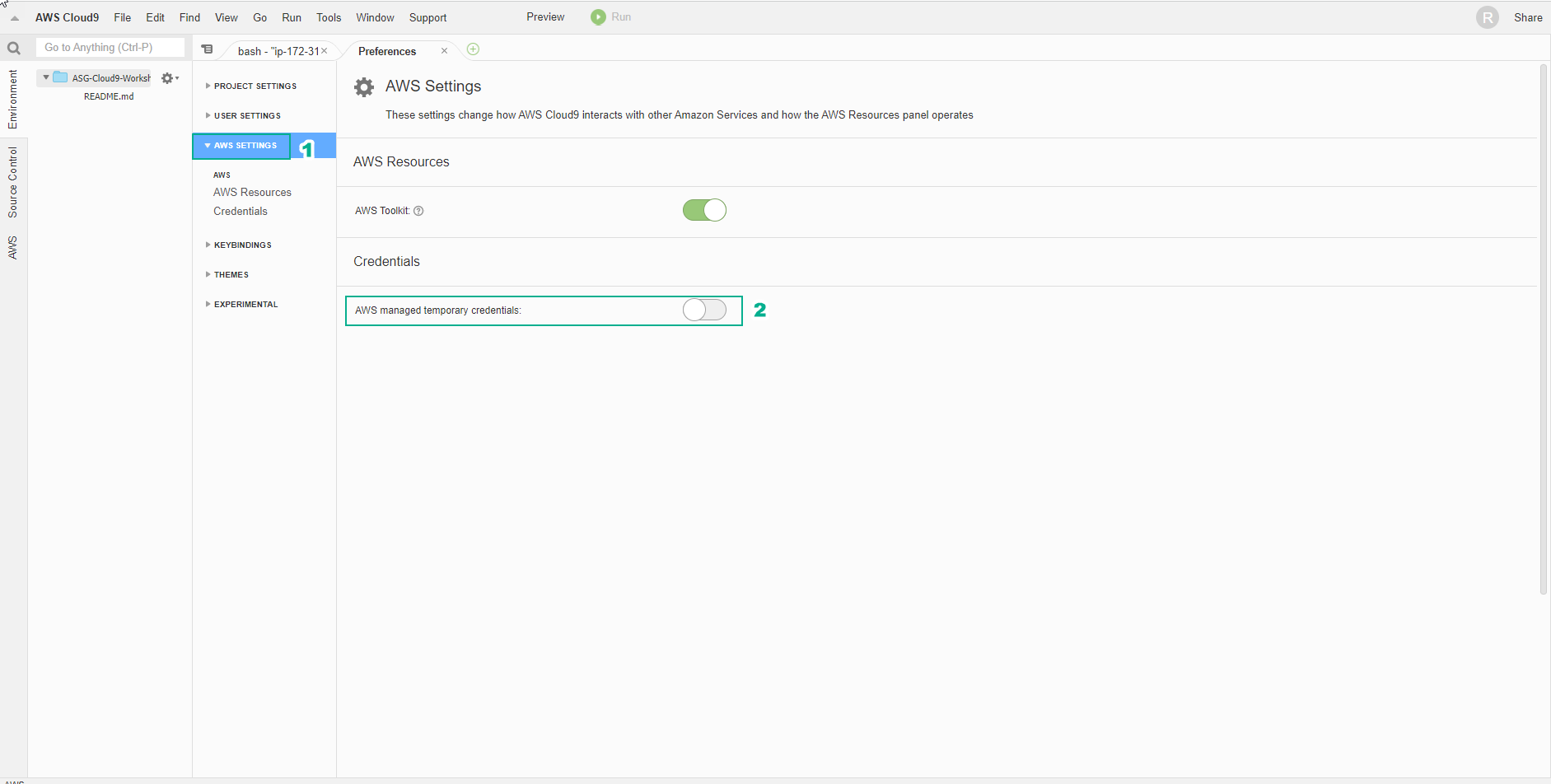
Cloud9 will manage IAM credentials automatically. We will need to disable this feature and use the IAM Role.
- Select AWS SETTINGS
- Select Credentials
- Uncheck AWS managed temporary credentials
- Copy and Paste the command below into the Terminal of Cloud9 Workspace to install tools to support text processing on the command line.
sudo yum -y install jq gettext bash-completion moreutils

- Similar to CloudFormation, you can install the cfn-lint tool to help you check CDK templates and other information, including auditing. Check if the resource properties are correct or not configured according to best practices or not.
pip install cfn-lint
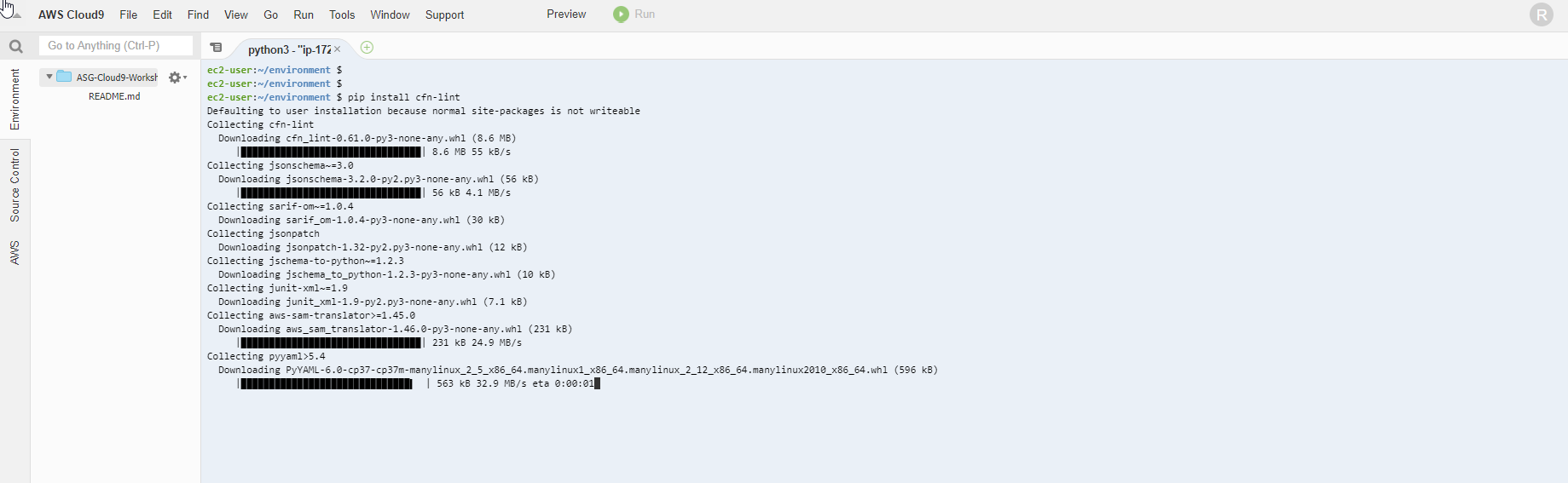
- Check the successful installation of cfn-lint using the following command:
cfn-lint --version

- We will configure the aws cli to use the current Region.
export ACCOUNT_ID=$(aws sts get-caller-identity --output text --query Account)
export AWS_REGION=$(curl -s 169.254.169.254/latest/dynamic/instance-identity/document | jq -r '.region')
export AZS=($(aws ec2 describe-availability-zones --query 'AvailabilityZones[].ZoneName' --output text --region $AWS_REGION))
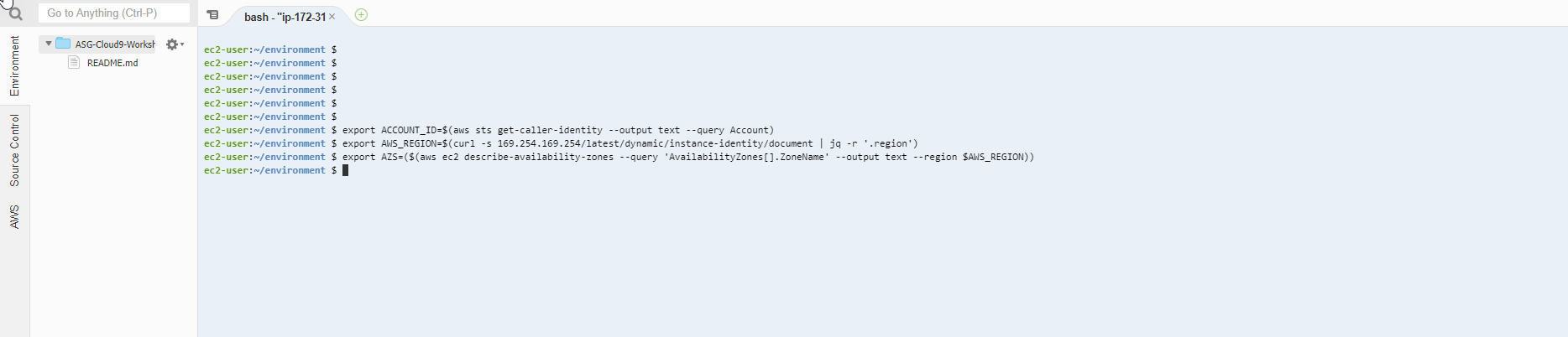
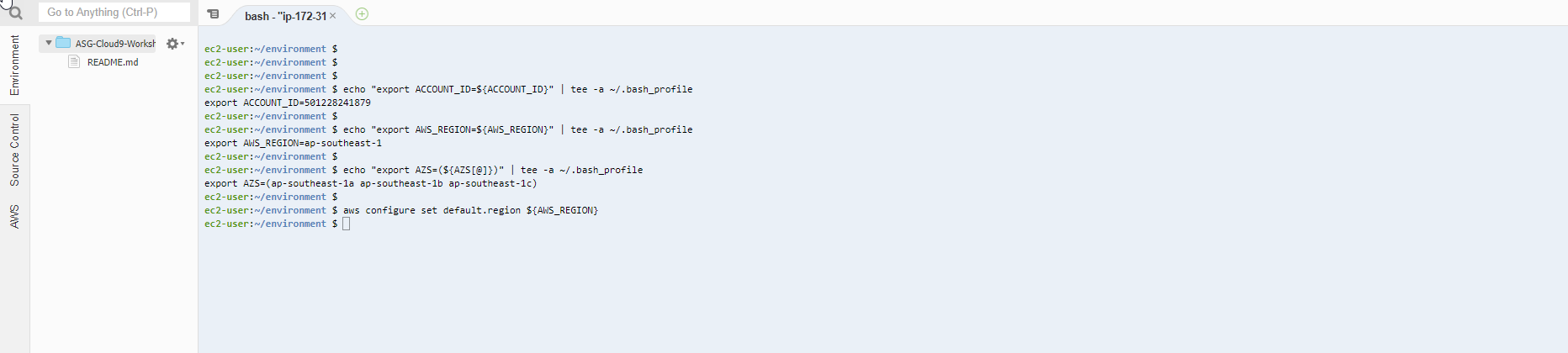
- We will save the configuration information to bash_profile
echo "export ACCOUNT_ID=${ACCOUNT_ID}" | tee -a ~/.bash_profile

echo "export AWS_REGION=${AWS_REGION}" | tee -a ~/.bash_profile

echo "export AZS=(${AZS[@]})" | tee -a ~/.bash_profile

aws configure set default.region ${AWS_REGION}
- Check if CLI CDK is installed by running the command.
cdk --version

- We will use the command to check if the Cloud9 IDE is using the IAM Role correctly.
aws sts get-caller-identity --query Arn | grep CDK-Role -q && echo "IAM role valid" || echo "IAM role NOT valid"